In developmentTBA

xOS
Your digital world, built around you.
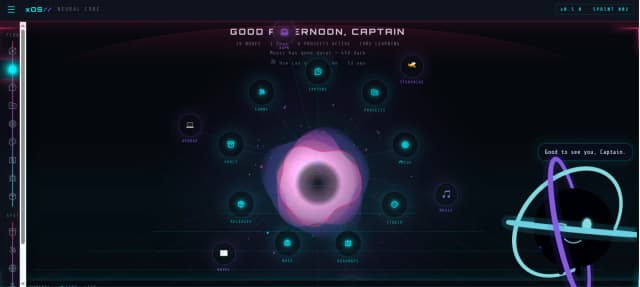
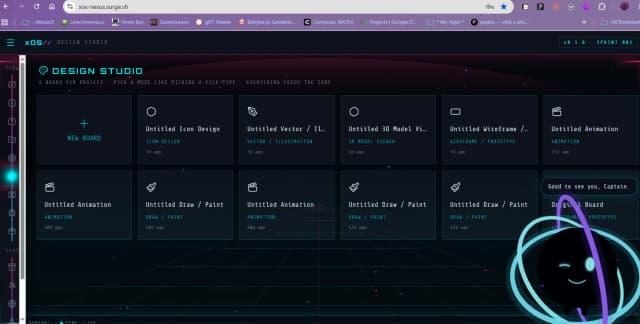
xOS started with a simple question: what if an operating system didn't have to feel like an operating system? Instead of building another collection of windows, folders, menus, and applications, xOS explores a more connected digital environment where your work, information, tools, AI, and creative projects can exist together as parts of one larger system.
The idea is to make the computer feel less like a machine you operate and more like an environment you inhabit. Your projects become places. Your information becomes connected. Your tools become part of a larger workflow. And the system itself becomes something that can understand context rather than simply waiting for you to tell it exactly what to do.
xOS is ambitious by design. Some of its ideas are experimental, some are still being figured out, and some may completely change before we get there. But that's what makes building it interesting. We're not trying to make a slightly prettier version of something that already exists.
We're asking what comes after the desktop.
In developmentTBA

xIDE
A full development environment. In your pocket.
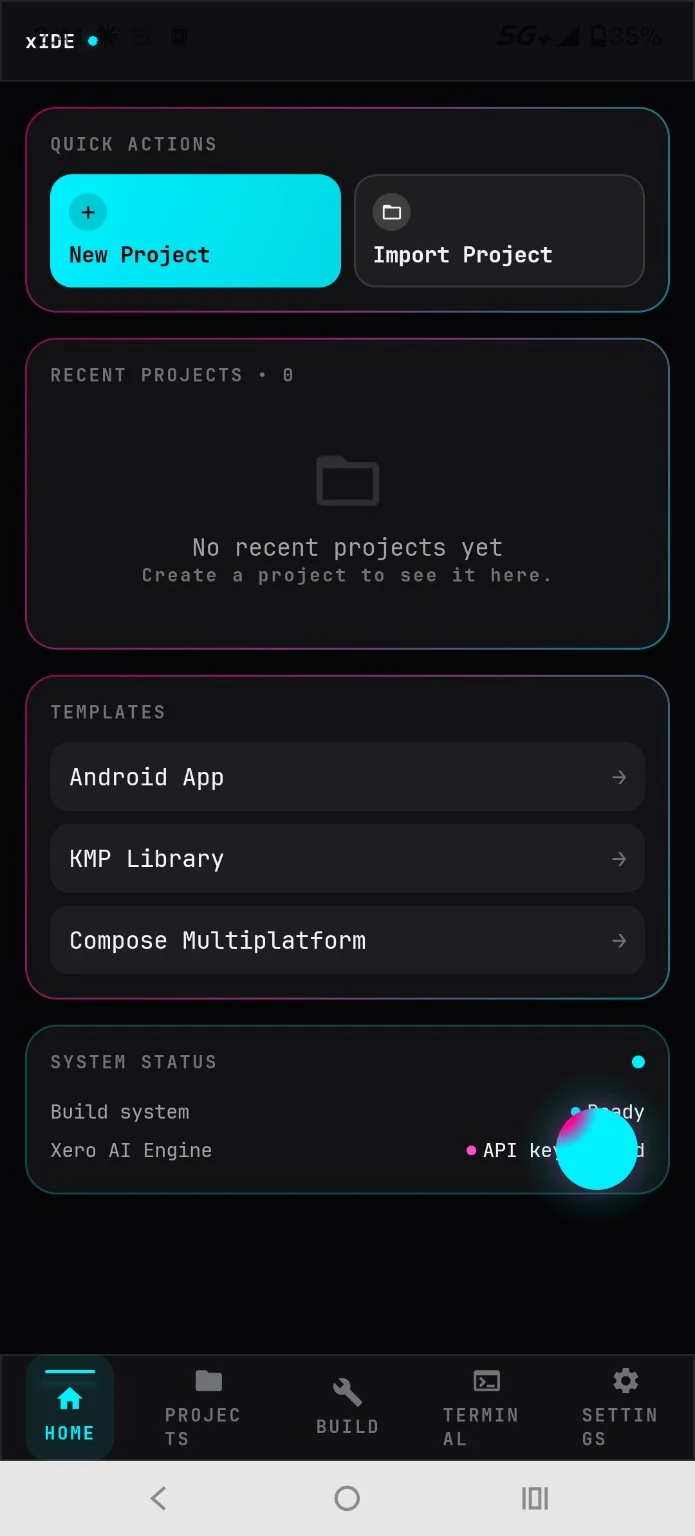
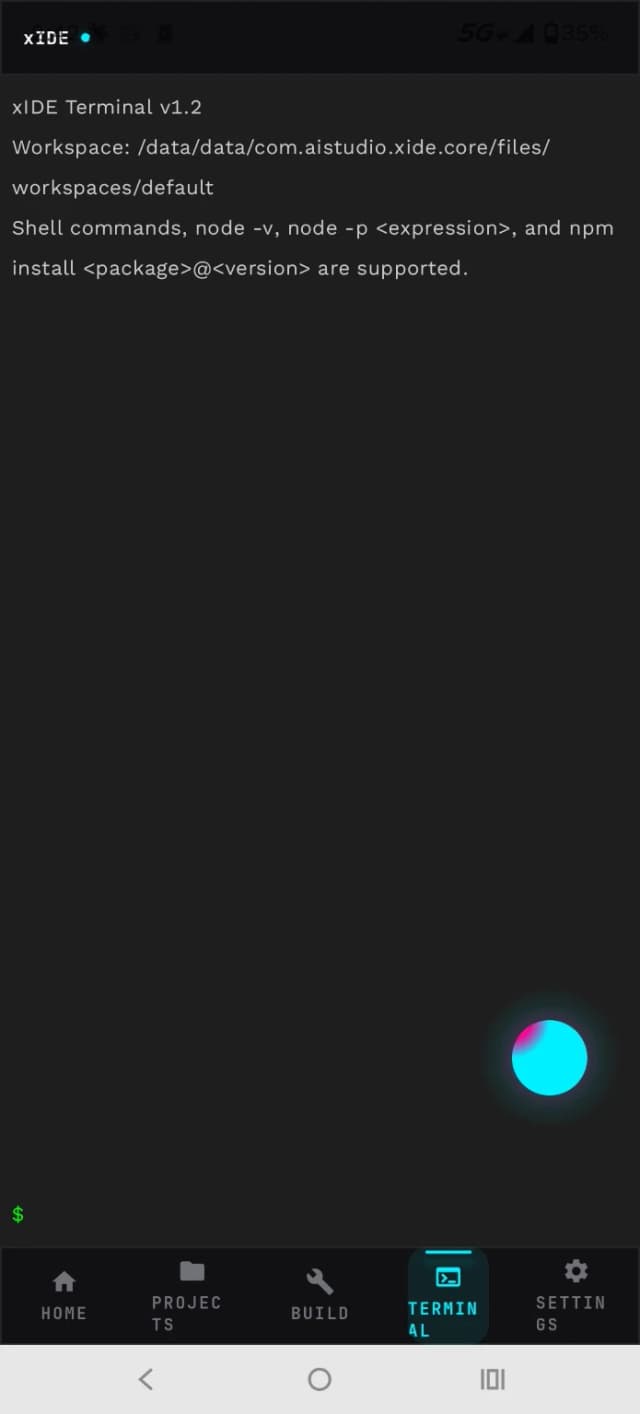
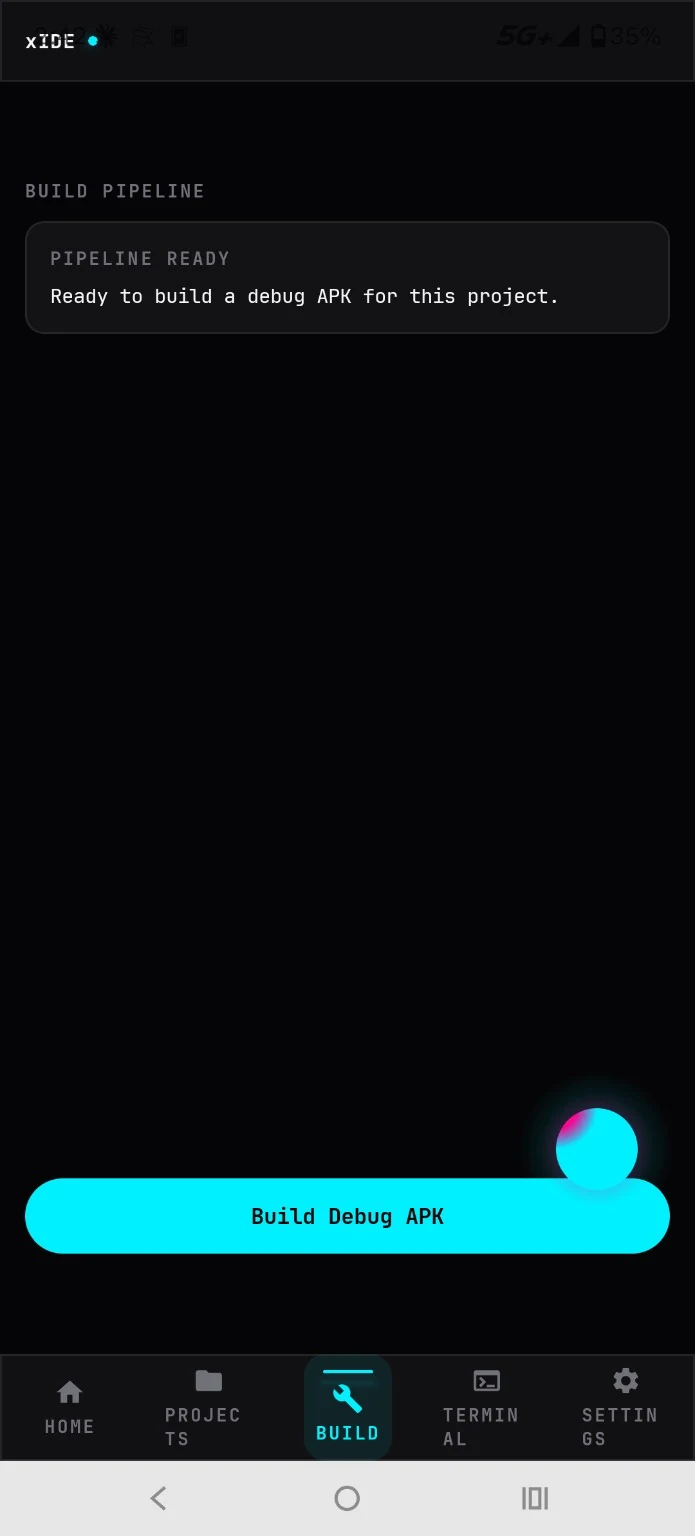
xIDE is a mobile IDE built around a pretty straightforward idea: your phone is already a computer, so why shouldn't you be able to actually develop on it? We're bringing together a serious code editor, project management, terminal, build tools, previews, and development workflows into a workspace designed specifically for mobile.
But the really ambitious part is what happens underneath. xIDE isn't being built just to support one particular kind of project. We're pushing toward an environment capable of working across different modern development stacks, including Capacitor-based applications, Expo projects, Vite applications, and more, all from the same IDE. That's a deceptively difficult problem, which is precisely why we're interested in it.
The goal isn't to recreate a desktop IDE on a tiny screen with fourteen panels squeezed into oblivion. It's to take the power of a serious development environment and rethink the experience so it's lighter, cleaner, less confusing, and actually pleasant to use on a phone.
Because sometimes the best place to build something isn't your desk. It's wherever the idea happens.
In developmentTBA

xForge
Make the game you couldn't stop thinking about.
xForge is our attempt to take the enormous toolbox of modern game development and turn it into something that doesn't require a map, compass, and three years of training to navigate. It's a PC-first game creation environment designed around the parts of game development creators actually need: worlds, scenes, characters, animation, rigging, gameplay systems, assets, testing, and iteration.
One of the big pieces is the Character Factory, where a character can move through the creation process from concept to something actually usable in a game. Create the character, build its structure, rig it, animate it, and bring it into your world. Around that sits a growing collection of tools designed to cover the rest of the game-making process without turning the application into a giant wall of buttons.
xForge deliberately lives in the space between "toy" and "professional monster." It should have enough power to make something real, while staying lightweight enough that you can open it, understand it, and start building.
Build. Play. Break something. Build it better. Repeat.
PlannedTBA

xForge Jr
Learn how games work by making them.
xForge Jr. exists because of a nine-year-old who saw what we were building with xForge and immediately started getting involved. Instead of simply telling her how it worked, we wondered what would happen if we made something specifically for her. So we built a different experience.
xForge Jr. keeps many of the underlying ideas that make xForge fun, including character creation and game systems, but wraps them in a much more approachable, colorful, kid-focused environment. Rather than dropping a giant empty editor in front of a child and saying "good luck," Jr. comes with games already inside it. Players can jump into experiences such as arcade-style games and then start changing things themselves.
That's where the learning happens.
Change the gravity. See what happens. Adjust a variable. Break the game. Fix it. Change something else. Suddenly concepts like physics, logic, systems, variables, and cause-and-effect aren't abstract computer science vocabulary anymore. They're things you can touch.
xForge Jr. isn't designed to turn kids into miniature software engineers. It's designed to let them discover that they can build things.
In developmentTBA

xFactor.OS
The operating layer for everything xFactor builds.
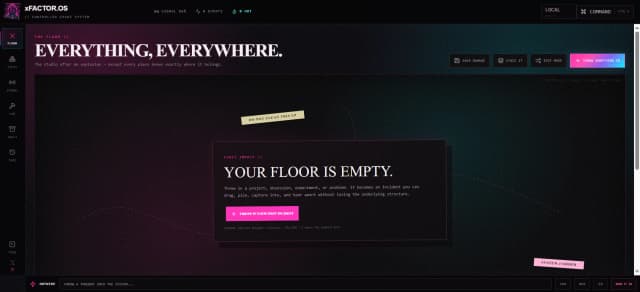
xFactor.OS is an experiment in turning the xFactor creative universe into something you can actually move through. Music, media, tools, releases, experiments, and future experiences do not have to live as disconnected pages and applications. The idea is to give them a shared operating layer and a common home.
It is still early, and the exact shape is intentionally evolving with the projects around it. What matters is the direction: less jumping between disconnected pieces, more context, continuity, and personality across the entire xFactor ecosystem.
Think of it less as another app and more as the interface around a creative world that keeps expanding.
In developmentTBA
project.X
Your developer universe. One command center.
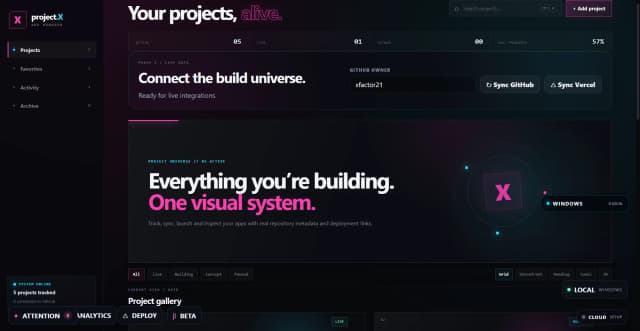
GitHub knows about your code. Vercel knows about your deployments. Your computer knows about your local files. Your notes know why the project exists. But none of those tools understands the entire project. project.X is being built to become the layer that does.
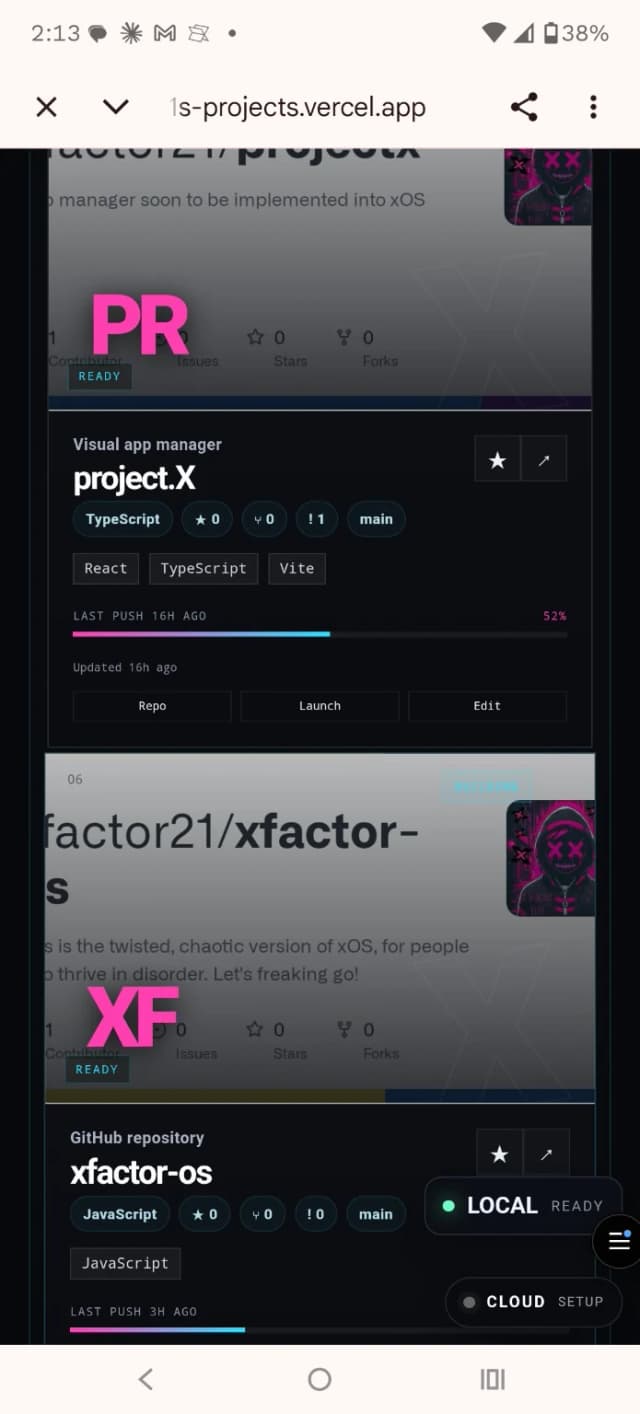
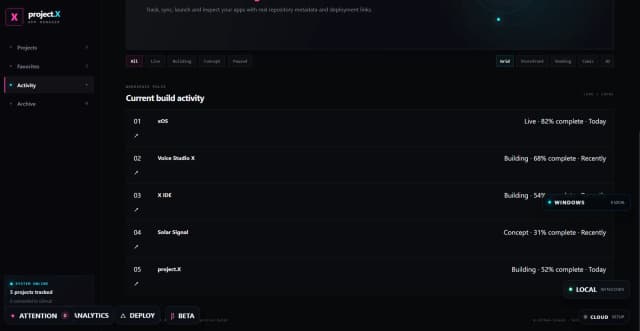
Open it and your development universe is visible at once: what is actively building, what changed recently, what has gone untouched, which repositories and deployments are connected, and where you left off. Filter down to what you are shipping, favorite the projects that matter most, attach the context you normally lose between tools, and switch between practical and visual ways of seeing the same workspace.
The larger goal is not to replace GitHub, Vercel, your IDE, your filesystem, or your notes. It is to understand the project state spread across them and turn it into one coherent picture — eventually helping answer the question every developer with too many projects asks: what needs my attention next?
PreviewTBA

HubX
Curated local AI tools. One honest guide.
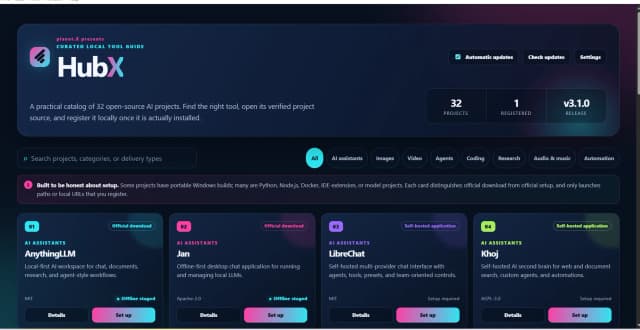
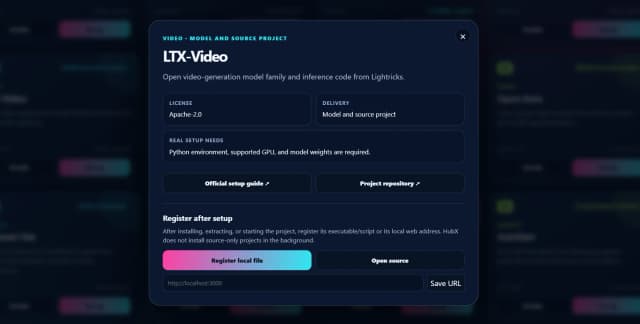
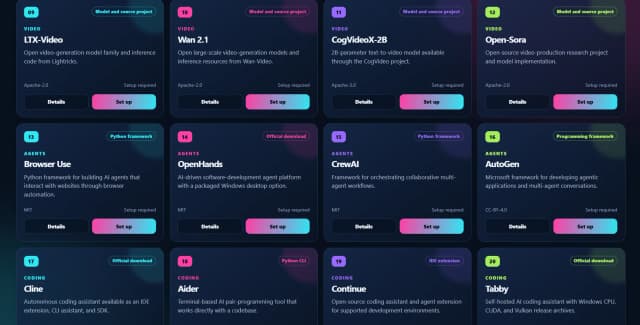
HubX is built for the part of local AI that usually gets messy: finding a useful project, figuring out what it really takes to run, and remembering where you installed it. It organizes open-source AI tools across assistants, image generation, video, agents, coding, research, audio, automation, and more while clearly distinguishing an official download from a framework, model repository, self-hosted app, or source-only project.
The point is not to pretend every project is one-click installable. HubX is deliberately honest about setup. When a tool has a proper installer, it points you there. When it needs Python, Docker, model weights, a GPU, or a local server, it tells you. Once the project is actually installed, HubX can register the local executable, script, or URL so your local AI toolbox becomes something you can actually navigate and launch.
Find it. Set it up correctly. Register it. Stop hunting through bookmarks and old terminal history.
In developmentTBA

xDash
Your entire digital operation. One dashboard.
xDash started because I wanted something that didn't exist: one place to see what the hell was happening across everything I was building. It began as a personal dashboard for my own projects and deployments, but the more it grew, the more obvious it became that other people building things could use the same thing.
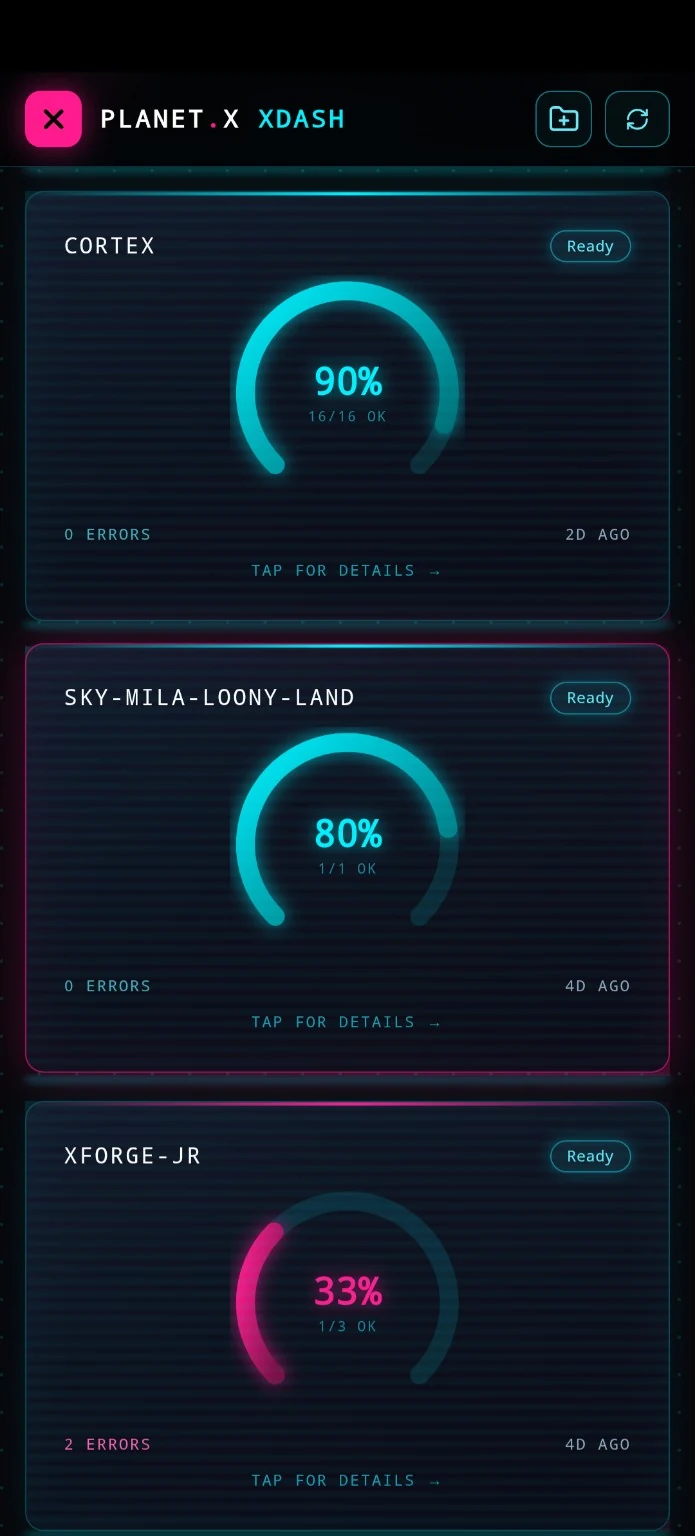
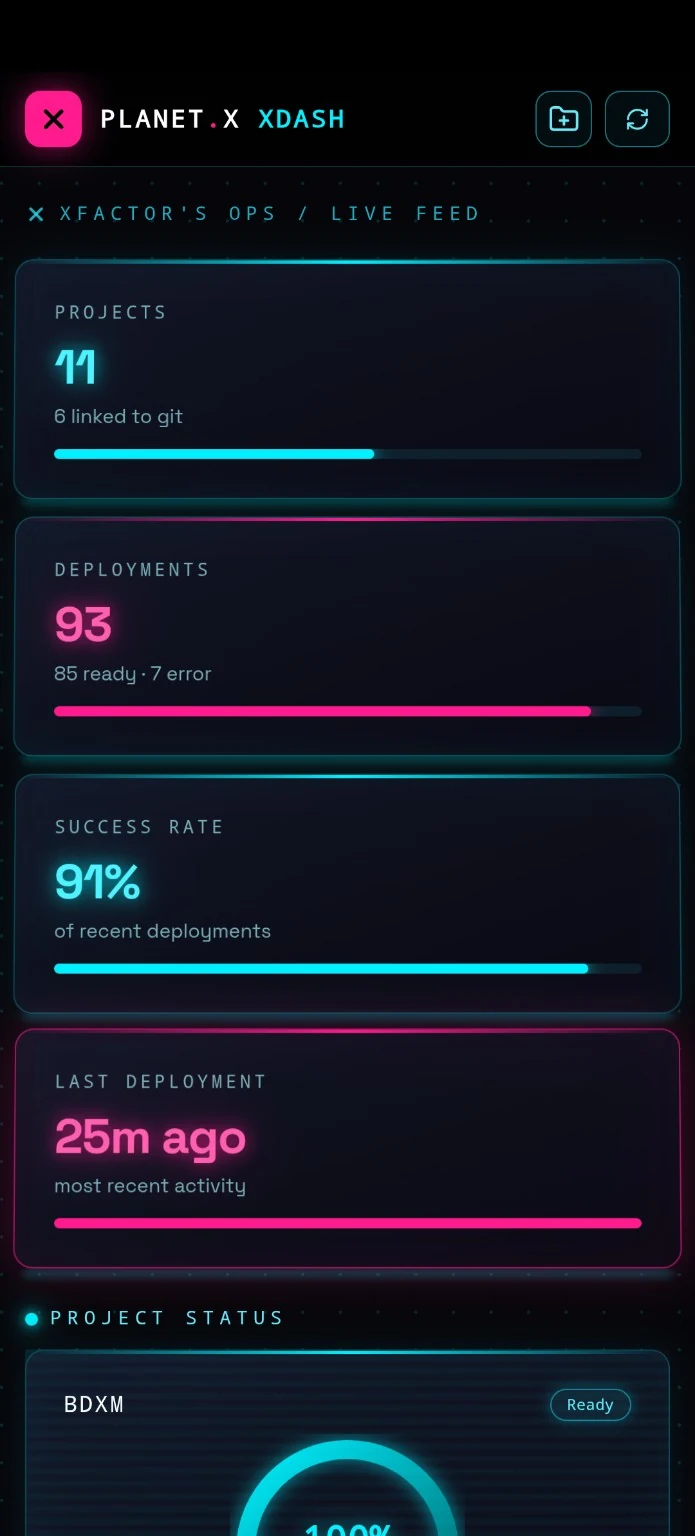
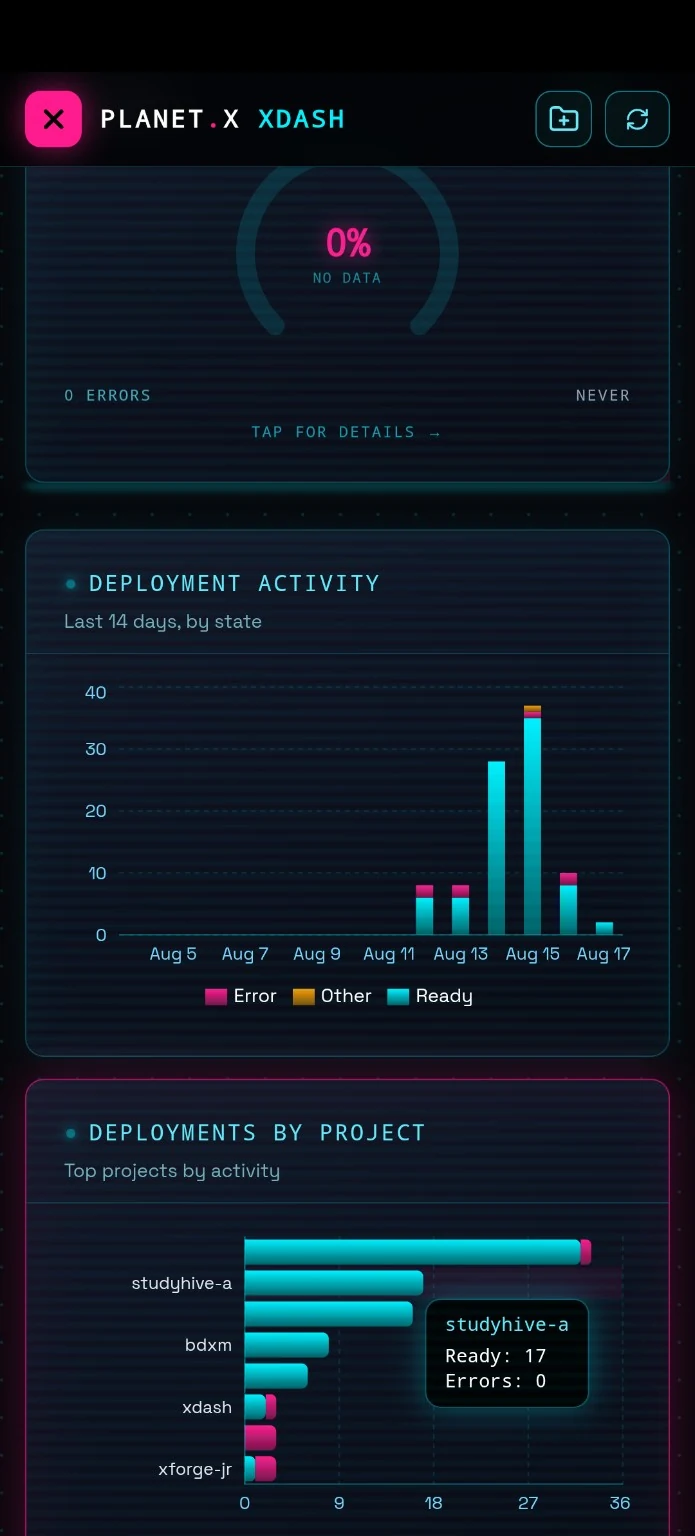
Instead of jumping between hosting dashboards, analytics pages, repositories, deployment consoles, project management tools, and whatever other tab you've accumulated today, xDash brings those pieces into one streamlined command center. Connect the services you actually use and get a consolidated view of your projects, activity, deployments, performance, analytics, and other useful information.
And it isn't meant to be another boring spreadsheet wearing a dark theme. xDash is deliberately futuristic. Think live gauges, visual analytics, status indicators, graphs, project cards, deployment controls, and a command-center interface that makes your digital infrastructure feel like something you're actually operating. The goal is dense information without visual chaos.
The really useful part is that xDash isn't necessarily just watching what's happening. Where integrations support it, you can do things directly from the dashboard. Deploy a new build. Redeploy a project. Manage a deployment. Jump into a repository. Check your analytics. Move from monitoring to actually doing without leaving the cockpit.
It started as a tool I wanted for myself. Then it became one of those projects where I realized: "Wait... other people probably want this too." So we're building it.
Your projects. Your data. Your deployments. One cockpit.
In developmentTBA

xConnect
Apps are not the future. Capabilities are.
Most software integrations are built one app at a time: connect GitHub here, wire Vercel there, add another API somewhere else, then repeat the same work in the next product. xConnect takes a different approach. It treats those integrations as reusable capabilities that can be discovered, permissioned, combined, and executed.
That means a product like project.X can ask what actions are available for a project, let xConnect find the right provider, execute the action, and return the result. The same capability layer can eventually serve other applications and AI agents without forcing each one to become its own integration platform.
xConnect is the nervous system: providers, permissions, workflows, execution, approvals, and history behind the experiences built on top of it.
ConceptTBA

xWorld
Seven worlds. One truth. Remember who you are.
xFactor knows his world is not real. What he does not know is why he is trapped there — or who he was before the simulation took hold.
xWorld follows his journey across seven worlds, each pushing him closer to the memories, truths, and purpose that have been stripped away. The worlds are not just levels to clear; they are pieces of a larger mystery about identity, reality, and the destiny he is being pulled toward.
Built with Unreal Engine 5, xWorld is intended to bring the xFactor universe into an interactive form: part adventure, part mystery, part digital mythology. The destination is escape. The real journey is remembering why he needs to escape in the first place.
In developmentTBA

ONE.X
Dating, one person at a time.
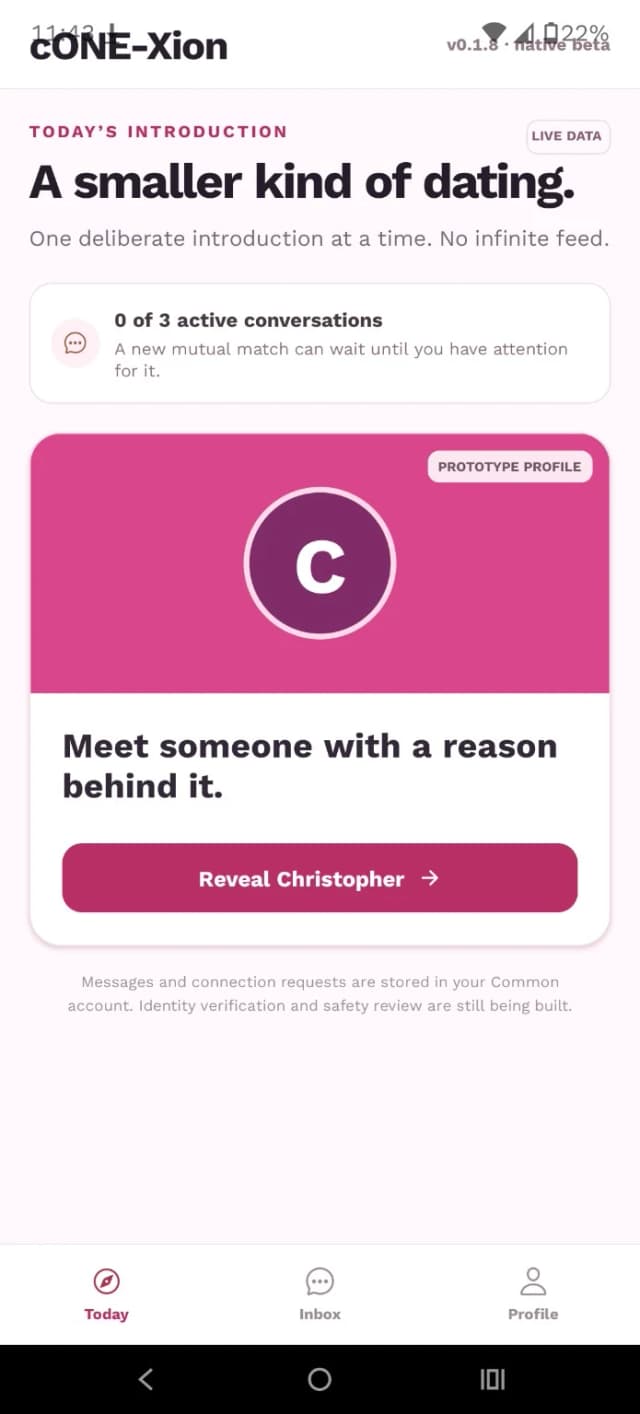
Most dating apps are designed around abundance: more profiles, more swipes, more matches, more reasons to keep looking. ONE.X starts with the opposite idea. What if better dating came from having less to browse and more reason to pay attention?
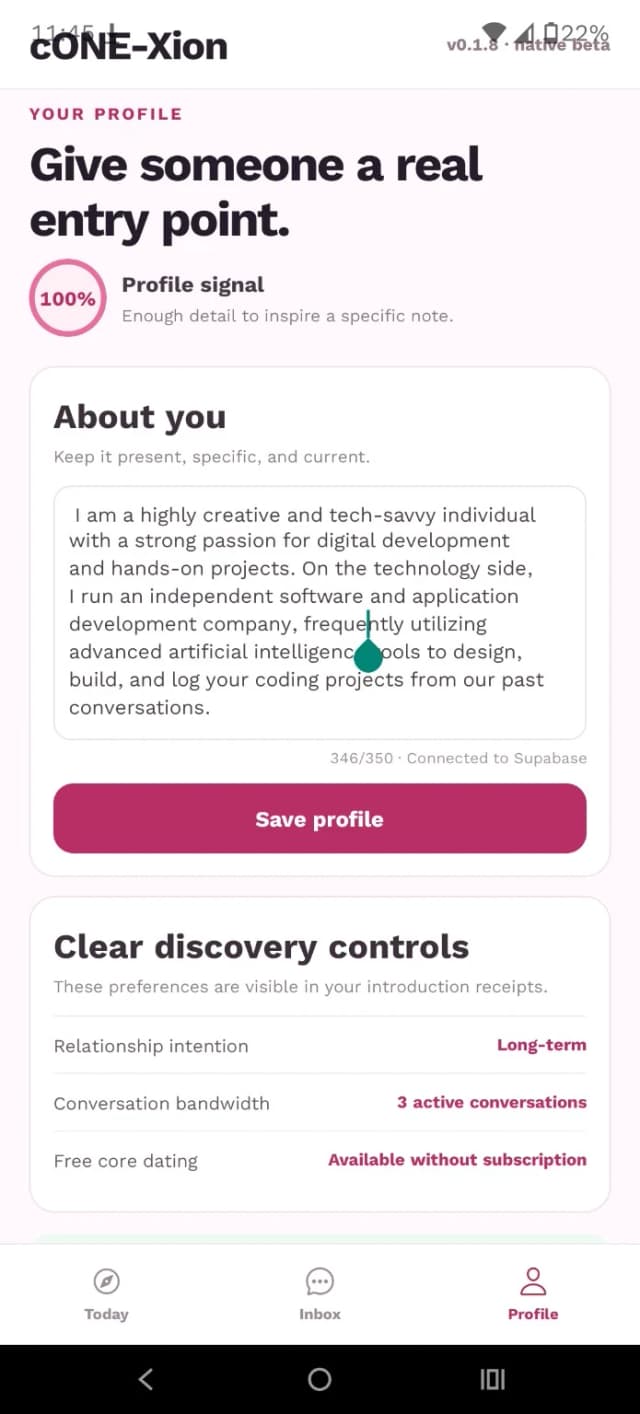
Compatibility is built progressively through the things that reveal who you actually are — questions, preferences, challenges, writing, voice, and other signals that can say more than a few photos and a bio. Introductions are intentionally limited. Conversation bandwidth is intentionally limited. The point is not to collect matches; it is to give one promising connection enough room to become something real.
ONE.X is not trying to make dating slower for the sake of being difficult. It is trying to remove the casino: the endless feed, the constant comparison, and the feeling that somebody better might be one swipe away. Fewer people. Better context. One person at a time.
In developmentTBA

conteXt Key
Your secrets should not disappear after creation.
Developers constantly create credentials that may only be shown once: API keys, access tokens, signing secrets, service IDs, environment values, and other pieces of configuration that become painful to recover after the fact. conteXt Key is being built as a dedicated, secure place to keep that information organized by the project and service it belongs to.
Instead of scattering secrets across notes, screenshots, .env files, dashboards, and forgotten password-manager entries, conteXt Key gives development credentials a home designed around their actual context. The goal is simple: know what a key belongs to, where it is used, and how to find it when the project needs it again.
Longer term, tools such as xConnect may be able to handle more of this connection and credential flow automatically. conteXt Key remains the deliberate vault: the place where the sensitive building blocks of your development ecosystem can be stored and understood.